Creating Components
Learn how to create a component.
How to Create New Components
There are two methods of creating a new component for this project.
- Manual creating components
- ULTRAFAST component creation (optional)
Manually Creating Components
- Create a folder under
web/componentswith the name of your new component in Pascal case (capitalizing the first letter of every word with no spaces, example:"NewComponent") - Copy
web/components/Template/_map.tsxinto your new folder - Copy
web/components/Template/index.stories.tsxinto your new folder - Copy
web/components/Template/index.tsxinto your new folder - Copy
web/components/Template/styles.tsxinto your new folder - Copy
web/components/Template/test.data.tsxinto your new folder - Create a component schema in Contenful as a "Content Model"
- Run
yarn syncContentfulto download, parse, and sync the new Contentful data - Go to the
web/components/Template/test.data.tsxin your new component and change the wordtemplateto be the ID of your new Content Model in Contentful. - Add a new import in the
web/components/BlockMapper/BlockMapList.ts
ULTRAFAST Component Creation (optional)
- Run your local and run
yarn syncContentful - Visit any page on your local, scroll to the bottom of the page and click the "New Component" button.
- Click the checkmarks for any file you want to auto generate
Please note: autogeneration skips files that already exist, it does not overwrite any files for safety. This will autogenerate files and perform all of the manual steps for you in the project
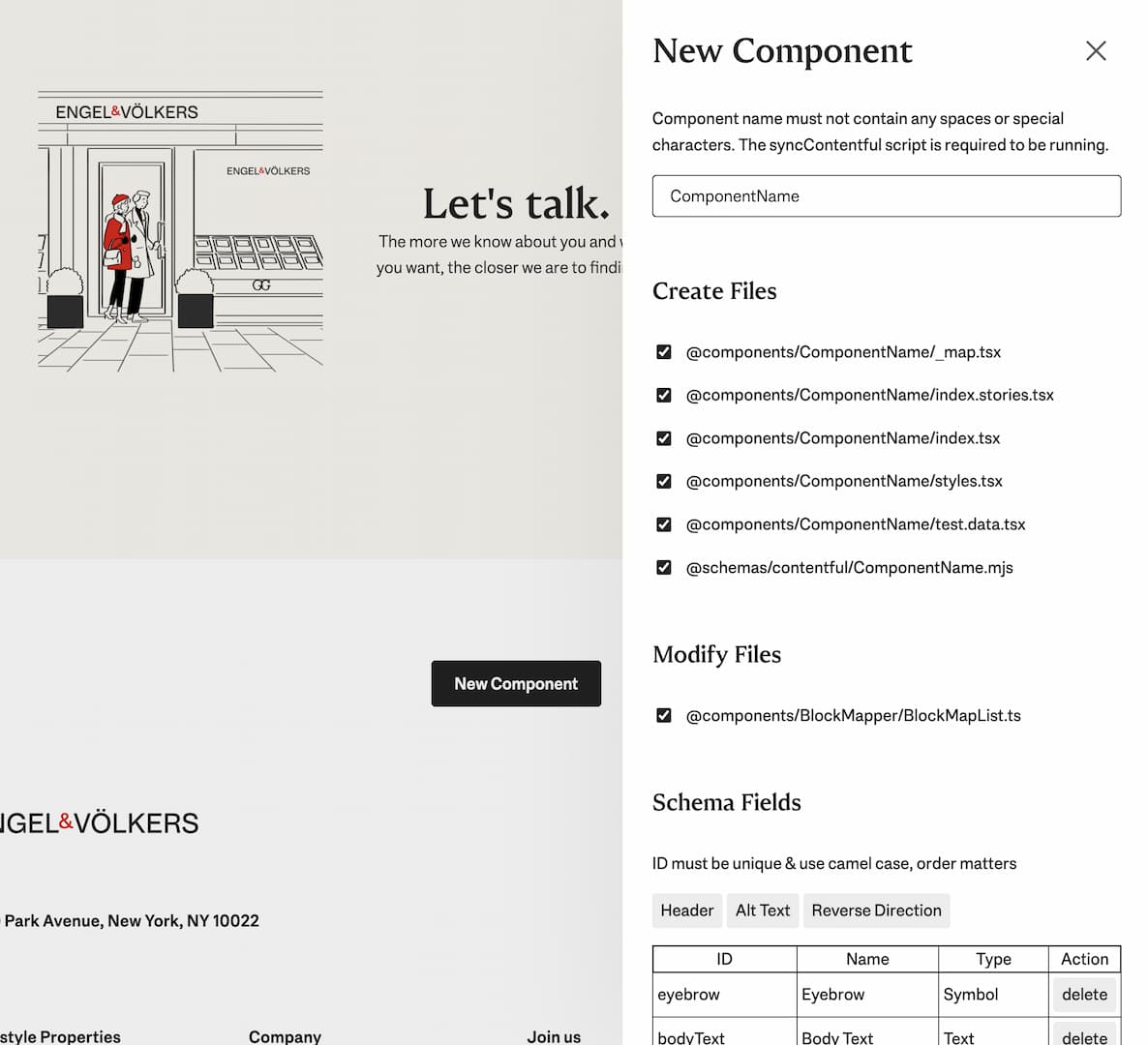
Creating New Component Props
- Avoid redundant work, if your prop already exists in the
web/components/BlockMapper/BlockProps.tsxfile, then use that name for your component's schema file field name. - Add your prop as optional to the
Propsinterface insideweb/components/BlockMapper/BlockProps.tsx - Add your prop to the
block.fieldsvariable - Add your prop to
BlockMapobject